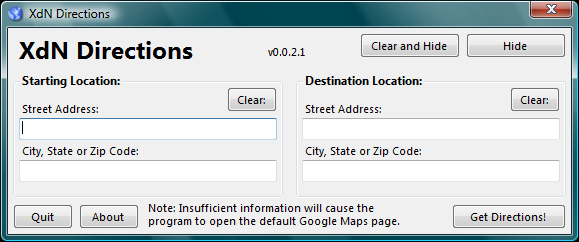
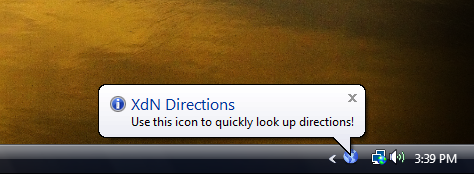
This program sits in your system tray and gives you easy access to look up maps and directions on Google Maps.
Click HERE to download XdN Directions!
Current Version: v0.0.2.3
Size: 194 KB, September 17th, 2007 - Windows XP or higher recommended.
(98/98SE, Me, 2000, XP, 2003, and Vista. 32-bit and 64-bit.)
If you are not running Vista, then make sure you have the .NET Framework 2.0 installed.
Version history:
0.0.2.3
September 17th, 2007
- updated icons
- update font
0.0.2.2
September 9th, 2007
- updated 256x256 Vista icon
- updated License and ReadMe
0.0.2.1
August 21st, 2007
- slight gui updates: made program window slightly smaller,
moved some text to About page, updated fonts (Segoe UI)
- added option to not display the Balloon on startup:
just add " -noballoon" (without quotes) at the end of the
command on the shortcut.
0.0.2.0
July 26th, 2007
- increased program size
- added support for larger 120 dpi fonts
0.0.1.9
July 24th, 2007
- attempting to run a second instance of the program will now
open the directions window and bring it to the front
0.0.1.8
July 24th, 2007
- slightly updated About dialog
0.0.1.7
July 15th, 2007
- slightly change window size (shorter and wider)
- fixed Exception error when changing colors/themes under Vista
0.0.1.6
July 7th, 2007
- added balloon text on start, making it easier to notice the
tray icon.
0.0.1.5
July 4th, 2007
- changed text on city/state/zip text box stating that each item
could be used by itself
- changed it so only text is required in the city/state/zip box,
making it so you can search for directions between zip codes,
cities, or states without an address
- updated Note text on program accordingly
0.0.1.4
July 4th, 2007
- corrected tab order and made it so Tab is used to move through
address fields only
- added Donation link to About dialog
0.0.1.3
July 4th, 2007
- updated About dialog (size and text)
- main window and About dialog can be hidden with the Escape key
- cleaned up / improved interface
- larger text boxes for addresses
- slightly different icon
0.0.1.2
July 4th, 2007
- when the main window opens, it is brought to the front and focus
is put in the first address field.
- the Enter key will now move through the address fields and also
activate the web browser on the last field.
- the close button ("X") will simply hide the window, leaving data
in the address fields.
- new icon from Iconaholic.com
- closing or hiding the main window also closes the About window
- version number added to main window
- other minor code and gui updates/changes
0.0.1.1
July 3rd, 2007:
- re-write with VB.net 2005
- interface started from scratch
- added this ReadMe
- program starts as Tray icon
- uses Google Maps now
- when address is entered, the program auto-hides, but
remember the address entered
VB6 versions:
0.9.0
February 9th, 2003
- added minimize button
- removed my company branding
0.6.0
October 14th, 2001
- just messing with VB6
- support for just Yahoo maps
- internal version made for my company